Drag a ticket. Dispatch an agent.
Linear issues, Slack requests and action items from Granola meeting notes arrive in one inbox. Drag a ticket to In Progress, pick a playbook, and Claude Code starts in its own git worktree. Every session is a card on one board, with its real terminal one click away.
npx @theyashgupta/dispatchLatest version 4.7.0 on npm
Requires macOS or Linux, Node.js 22.22 or later, tmux, ttyd, git and the Claude Code CLI.
View on GitHubOr install it globally with npm install -g @theyashgupta/dispatch, then run dispatch.
From a ticket to a running session
Bring the work in from your sources, start each ticket with a playbook, and keep many Claude sessions running on one board.
The demo has no sound. It shows an optional orchestrator that writes a ticket and starts its session.
Higher qualityBring the work in
Linear issues assigned to you, Slack messages that ask for work and action items from your Granola meeting notes arrive in the Inbox. Choose Allow to start an item now, or Promote to put a Linear issue or a meeting item on the board as a ticket. Each source is optional, and New ticket lets you write a ticket yourself.
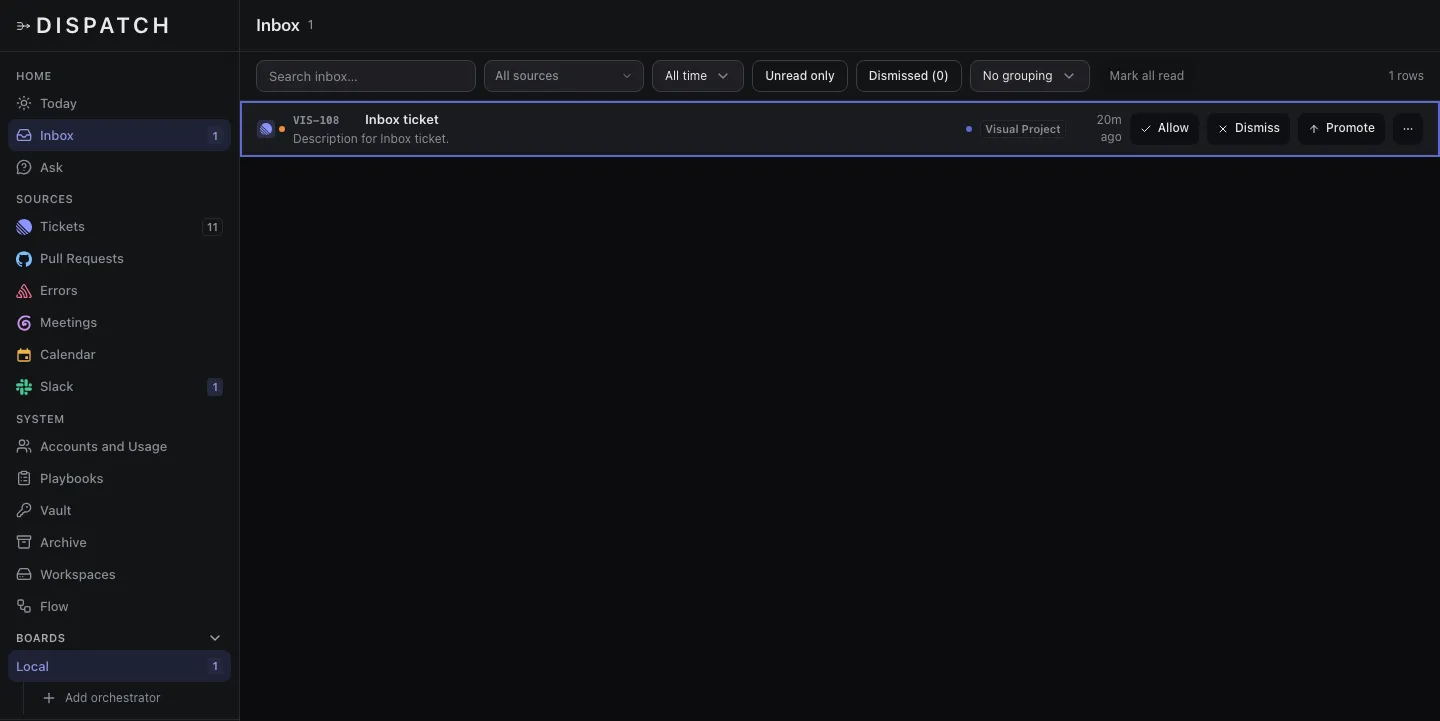
The Inbox, with each source in the sidebar. Start it with a playbook
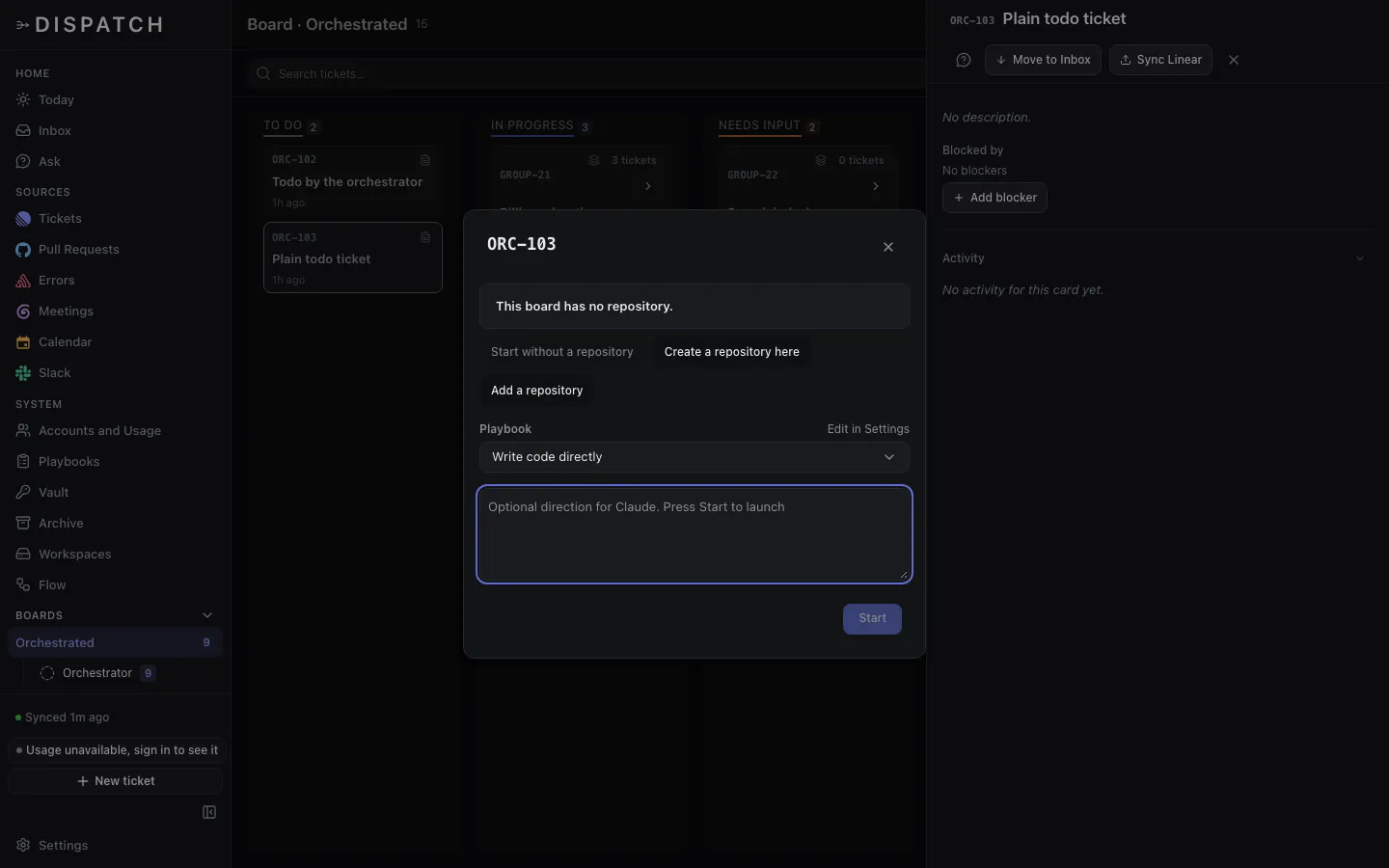
Drag a card from To Do to In Progress. The start dialog asks for a playbook, for example Write code directly, PRD + Ralph Loop or Review a pull request, and an optional direction for Claude. Press Start. Dispatch makes a git worktree on a branch named after the ticket and starts Claude Code in tmux.
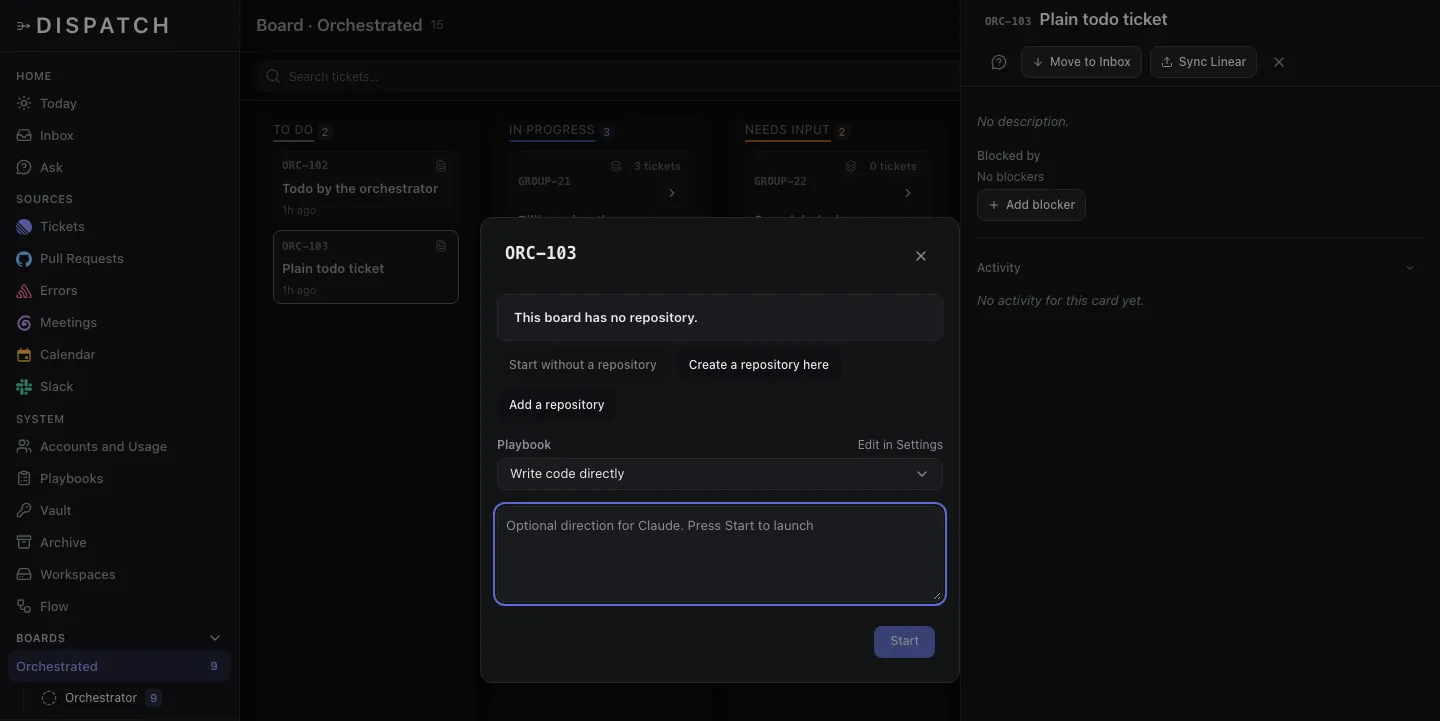
The start dialog. You choose the playbook when the session starts. Run many sessions together
Each running session is a card on the board. Open a card to see its real Claude terminal in the browser. A session that needs an answer moves to Needs Input, and the browser notifies you if you allow it. The sidebar shows the usage of your Claude account, and sessions use API keys from the vault without reading the values.
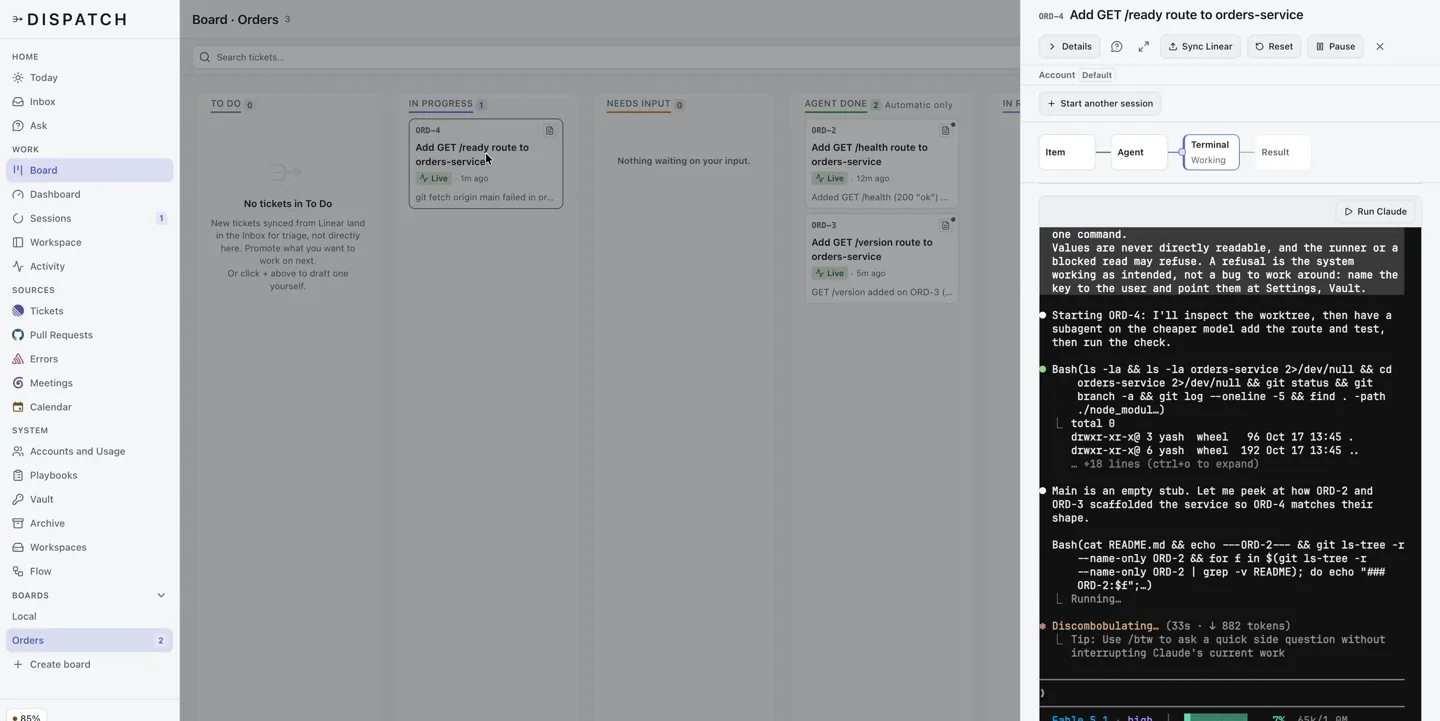
The card detail panel with the live Claude session of ORD-4.
What is on the board
One app in your browser for your boards, your sources, your sessions and your accounts.
Boards and columns
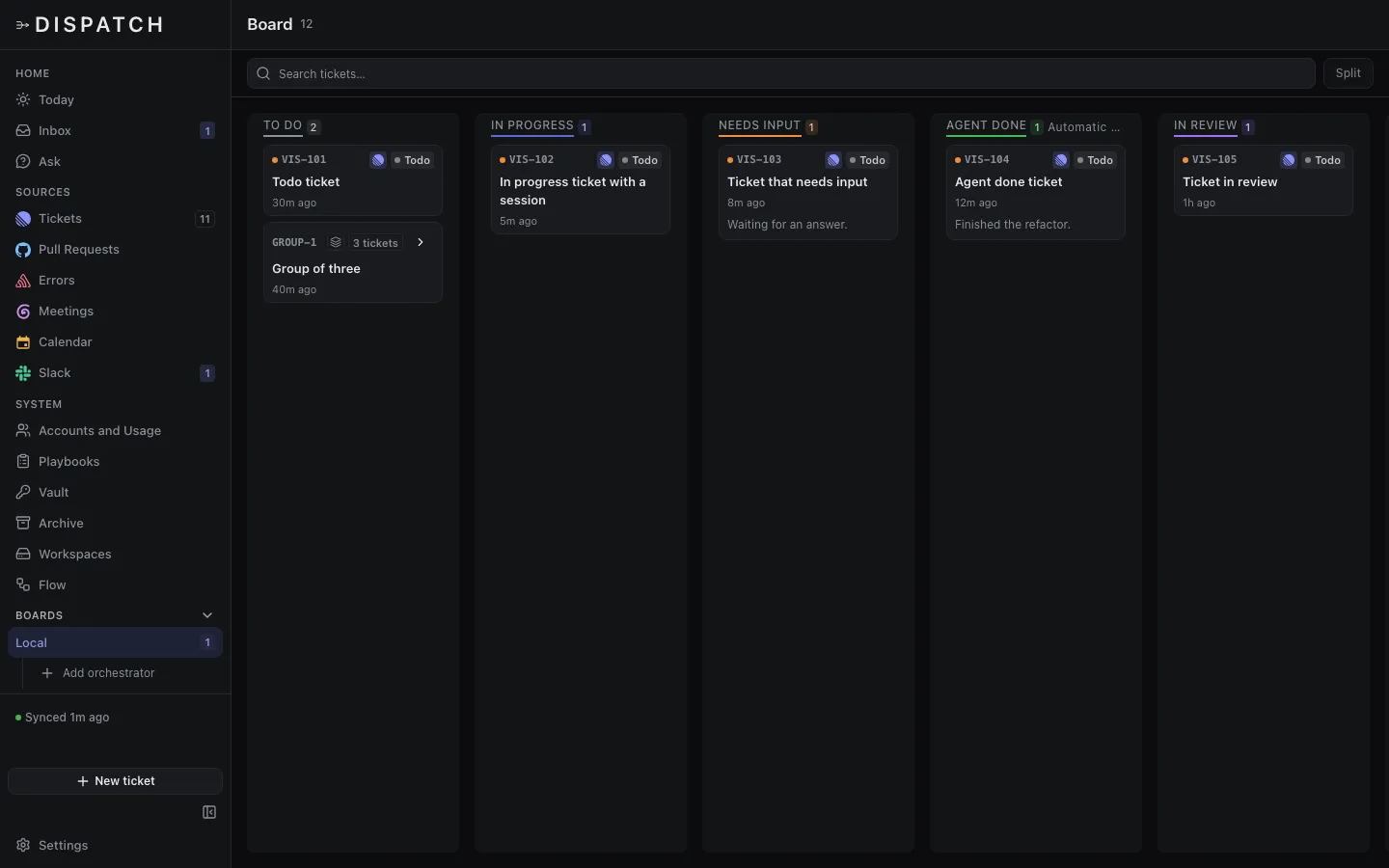
A board holds the tickets, the repositories and the policy of one project. It has seven columns: To Do, In Progress, Needs Input, Agent Done, In Review, Parked and Done.
Cards move when a session reports its state. A session that asks a question moves to Needs Input, and a finished one moves to Agent Done. When a card goes to Done, Dispatch removes its worktrees and keeps the branches.
Sources
Tickets come from Linear, requests from Slack and action items from Granola meeting notes. They arrive in the Inbox, where you promote them to tickets or start them. Slack items wait until you allow them. Each source is optional.
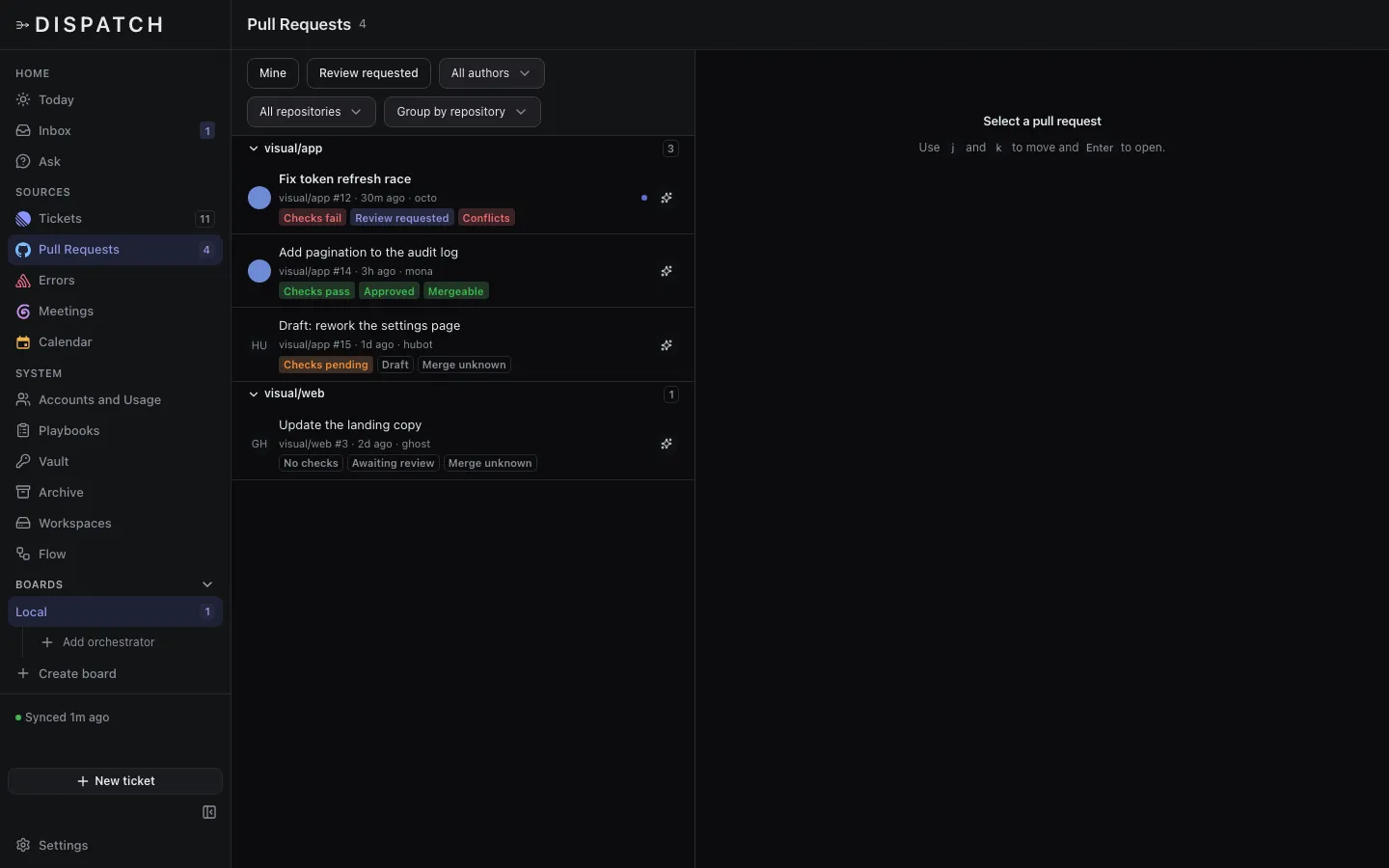
The Pull Requests page lists the open pull requests of the board repositories on GitHub. Choose Review on a row to start a session with the Review a pull request playbook. Errors come from Sentry, and Calendar reads the Mac Calendar or an iCal link.
Playbooks
A playbook tells a session how to work. You choose it in the start dialog when you start a card. Dispatch seeds eight: Write code directly, PRD + Ralph Loop, Roadmap Loop, Superpowers, GSD, Review a pull request, Board Orchestrator and Release.
Edit a playbook or add your own on the Playbooks page. The start dialog selects the playbook you used last, or Write code directly.
Sessions and terminals
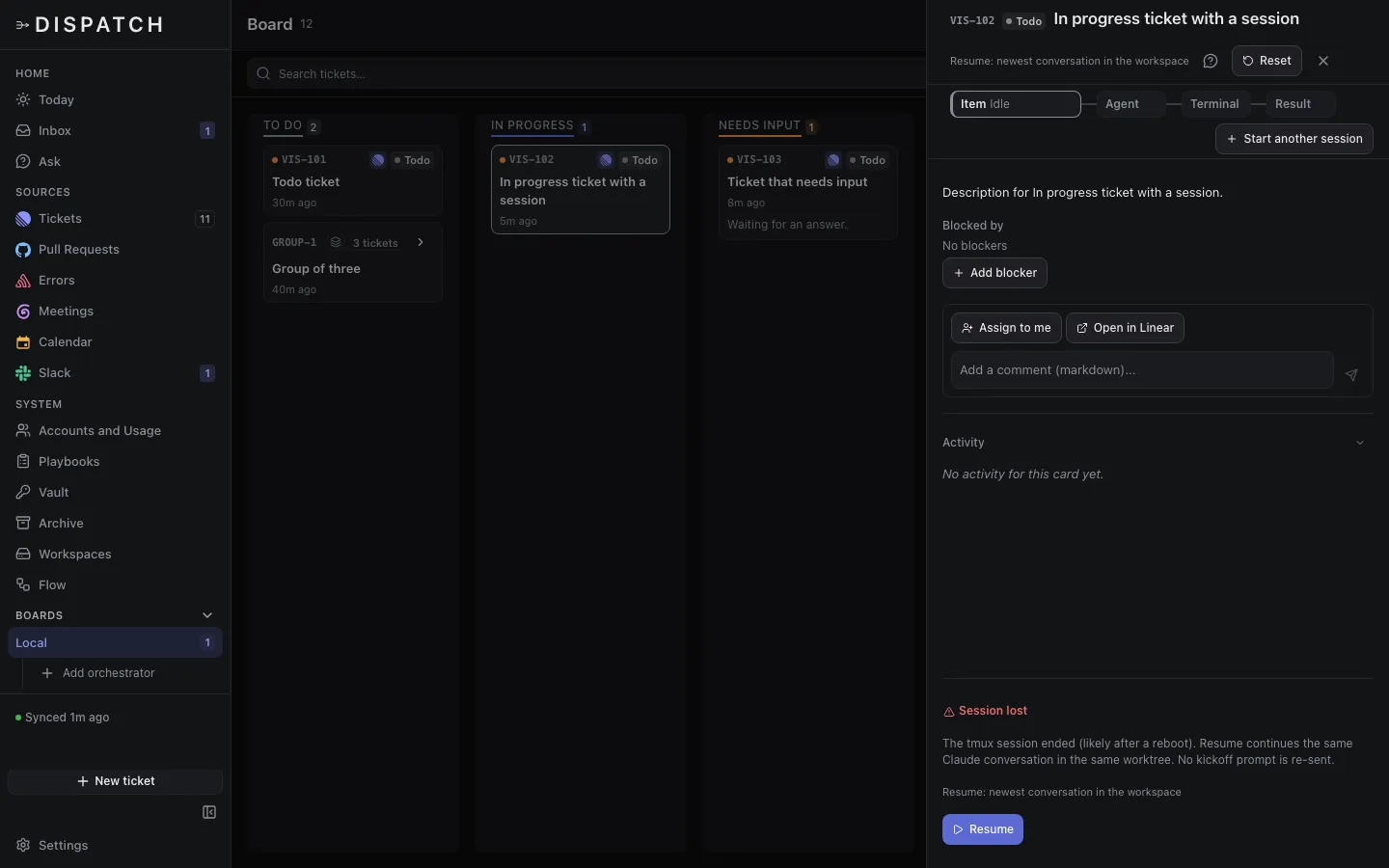
Each session runs Claude Code in tmux, in its own git worktree. The card panel shows the live terminal, the ticket text, the timeline, the comments and the pull requests of the card.
When a tmux session ends, for example after a reboot, Resume continues the same Claude conversation in the same worktree. Dispatch does not send the first prompt again.
Accounts, usage and auto-switching
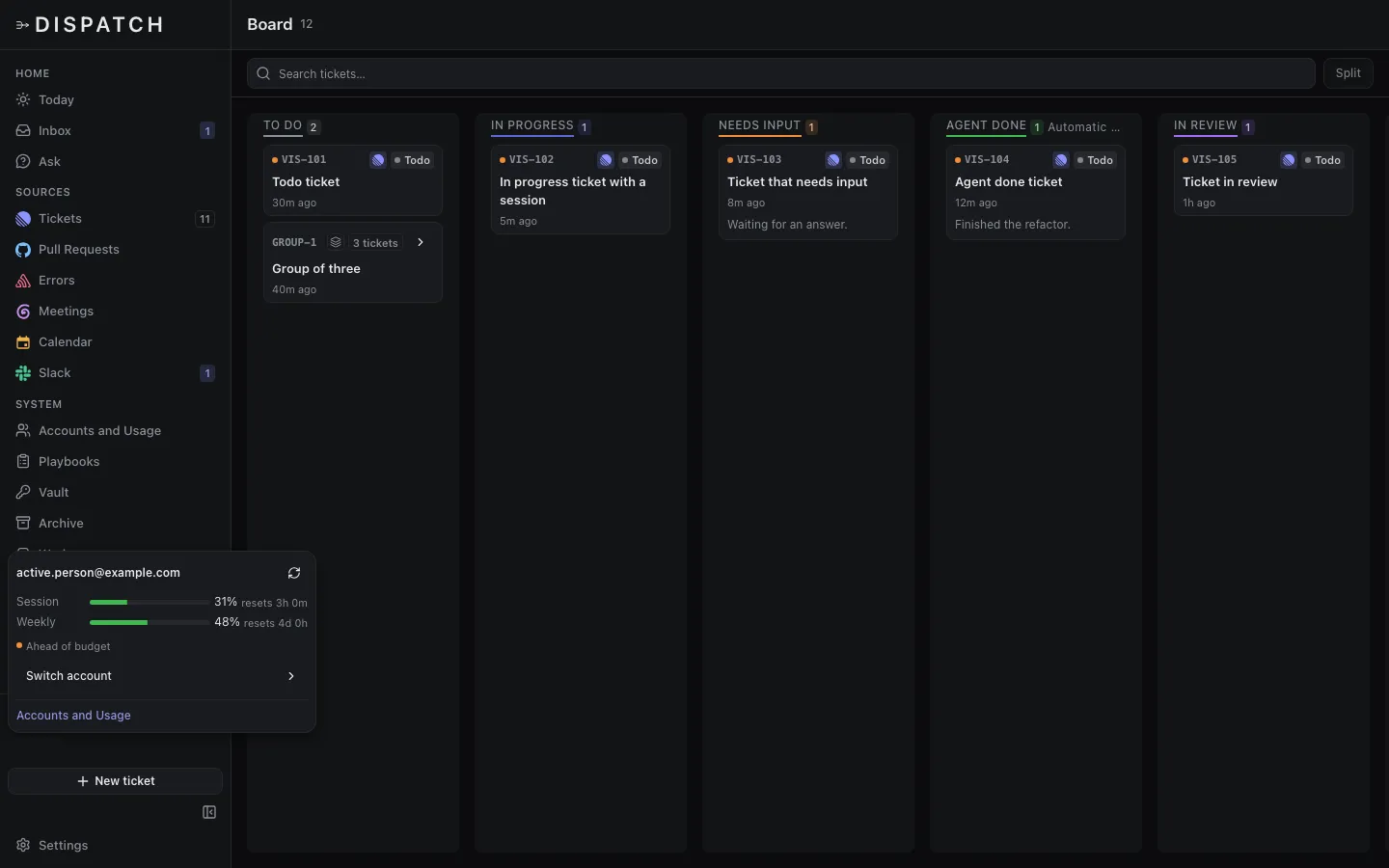
Dispatch can use more than one Claude account. Each account keeps its own Claude configuration folder. Dispatch never copies or changes a credential. The usage popover shows the session window and the weekly window of each account.
Automatic moves is off by default. When you turn it on, Dispatch moves sessions from an account that reaches its limit to the account with the most room. A busy session moves when its turn ends, and a pinned session never moves.
Vault and settings
The Vault page keeps API keys and tokens in a file that only your user can read. A session never reads a value. It runs a command through the vault runner, which gives only the named keys to that one command.
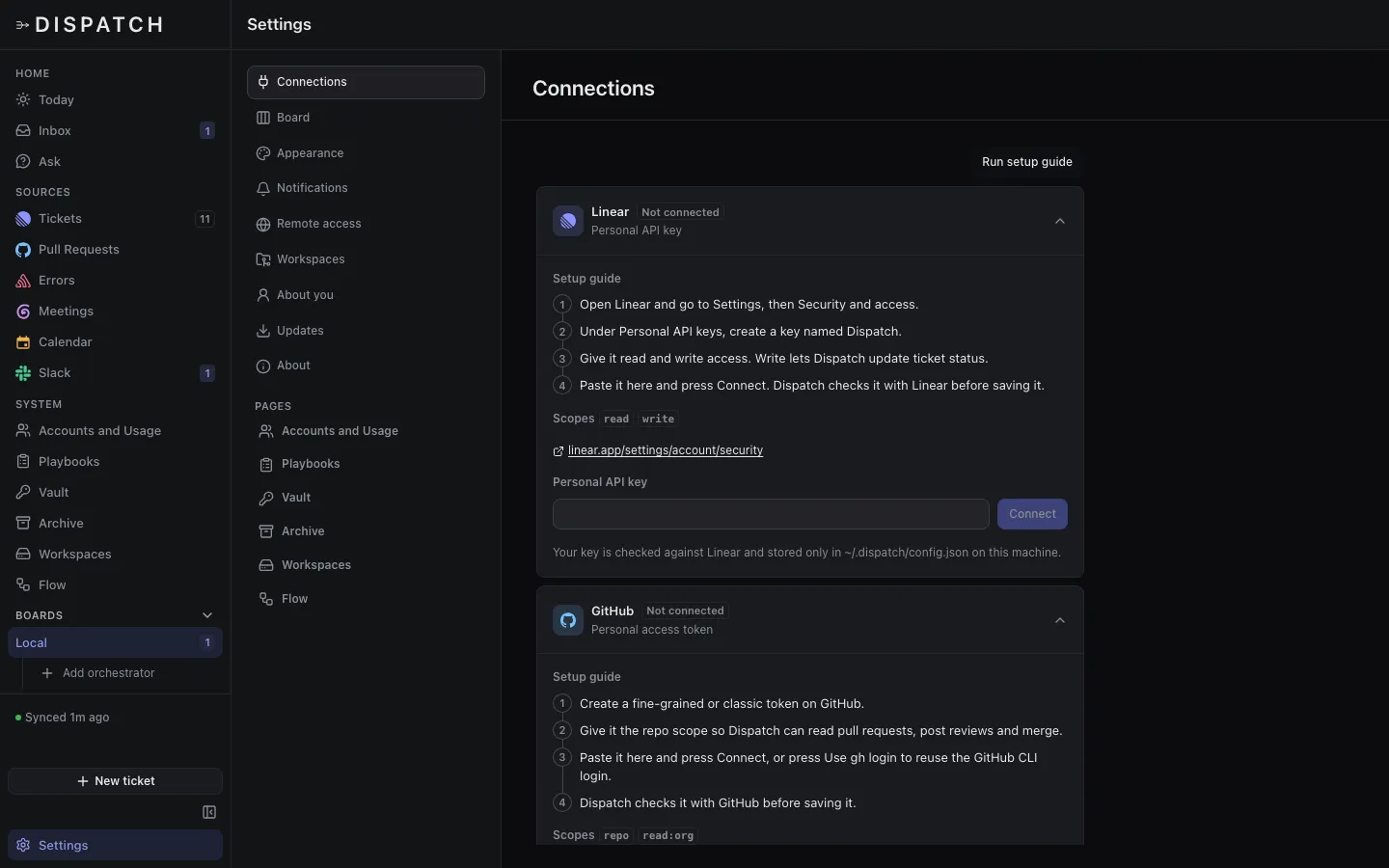
Settings has tabs for Connections, Board, Accounts and usage, Appearance, Notifications, Remote access, Workspaces, About you, Updates and About.
Orchestrator
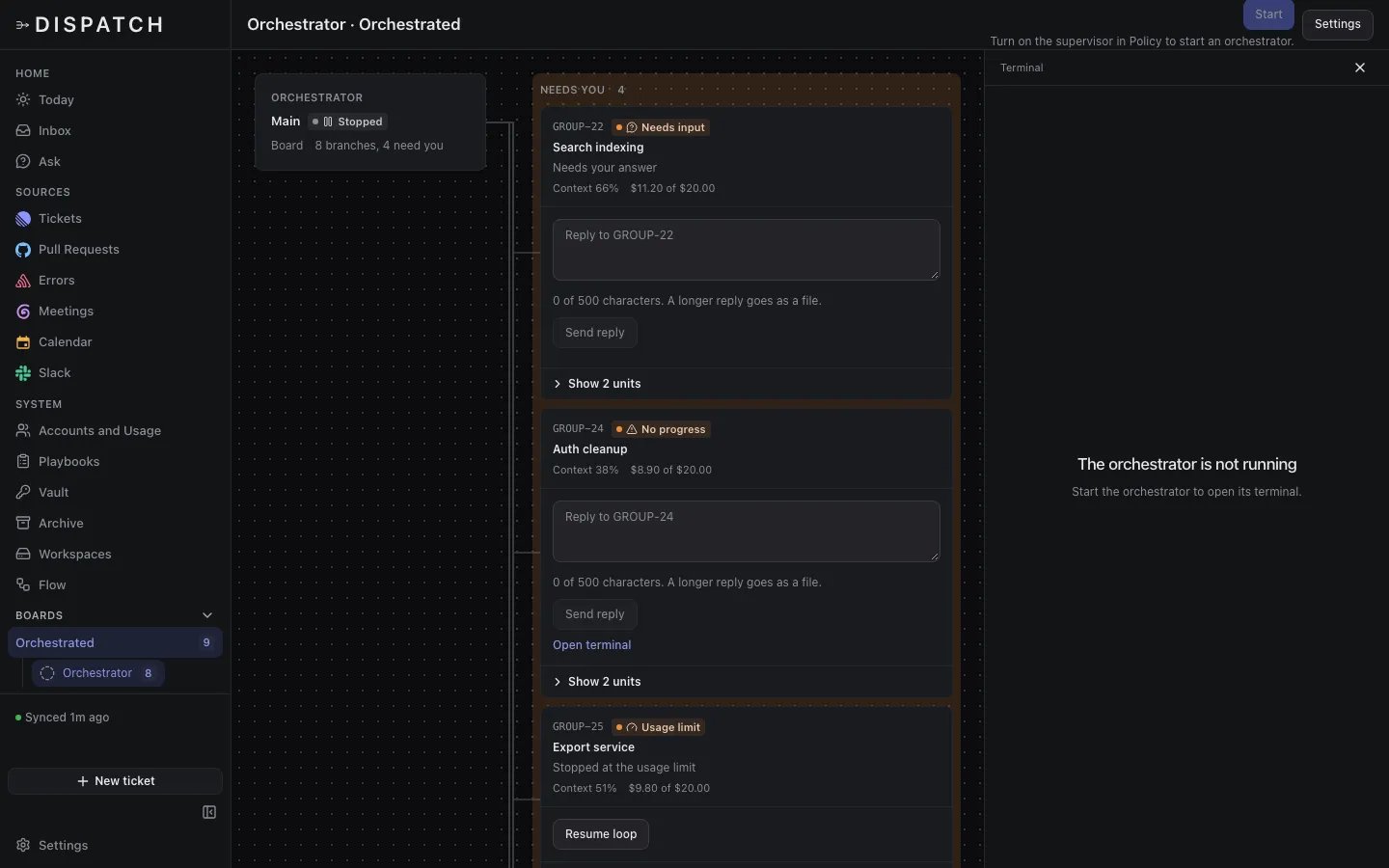
The orchestrator is optional: one Claude session for a board that writes tickets and ships them. Type a direction in its terminal. It writes the tickets, picks a playbook for each and starts the sessions. A board works the same without one.
The board policy sets how far it ships: no pull requests, open pull requests, or open and merge them. The command centre shows its terminal and one tile for each ticket and group that it runs.
Everything runs on your computer
Each claim below links to the line of Dispatch code or documentation that makes it true.
The Dispatch server listens on 127.0.0.1 only. Other computers on your network cannot open it.
Sourceindex.ts line 320
Each terminal (ttyd) also listens on 127.0.0.1. Your browser reaches it only through the Dispatch server.
Sourcettyd.ts lines 152 to 153
Remote access is off at each start. When you turn it on, Dispatch starts a Cloudflare quick tunnel that a four-word access code protects. The tunnel state is kept in memory only, so nothing resumes after a restart.
Sourcetunnel.ts line 12remote.route.ts line 20remote-auth.ts line 6README.md line 165
Vault values sit in a file that only your user can read. The file has mode 0600 and its folder has mode 0700.
Dispatch has no analytics library and uploads no telemetry. Its terminal debug log stays on your disk and is off unless you set DISPATCH_TERM_TELEMETRY=1.
Sourceterminal-telemetry.ts line 15package.json lines 98 to 155
Dispatch calls the Anthropic usage endpoint for your accounts, the npm registry for the update check and the sources that you connect. When you turn on remote access, it also runs a Cloudflare quick tunnel.
Each Claude account keeps its own Claude configuration folder. Dispatch never copies or changes a credential.
SourceREADME.md line 126
Dispatch is released under the MIT License. When a card goes to Done, Dispatch removes the worktrees and keeps the branches.
How Dispatch compares
Dispatch is a board of tickets, not an IDE. It installs with one command and runs the Claude Code that you already use.
| Feature | Dispatch | Orca | Paradev | Claude Code alone |
|---|---|---|---|---|
| Where it runs | Your Mac or Linux machine, in the browser | Desktop app for Mac, Windows and Linux | Desktop app for macOS, plus cloud workspaces | Your terminal |
| Unit of work | A ticket on a board | A workspace in an agent IDE | A workspace | A terminal session |
| Orchestrator | Yes. It writes tickets, starts loops and ships | Yes, an orchestration view | Yes, parallel agents | No. Subagents work inside one session |
| Ships pull requests | Yes. Opens and merges them, as the board policy allows | Not stated on the home page | Not stated on the home page | When you ask it to in the session |
| Agents | Claude Code | 27 listed agents | Claude Code, Codex and other agents | Claude Code |
| Install | One npx command | Download an app | Download an app | Install the CLI |
| Price | Free. Uses your Claude plan | Free | See the Paradev pricing page | Your Claude plan or API usage |
| License | MIT | Open source | MIT | Anthropic commercial terms |
Sources: orca.dev, paradev.com and the Claude Code documentation.
Questions
What do I need to run Dispatch?
You need macOS or Linux. You also need Node.js 22.22 or later, tmux, ttyd, git and the Claude Code CLI (claude). Log in to your account in the Claude Code CLI. On macOS, run brew install tmux ttyd.
How do I install Dispatch?
Run npx @theyashgupta/dispatch. To install Dispatch globally, run npm install -g @theyashgupta/dispatch. Then run dispatch. Dispatch prints the URL and opens your browser.
Which port does Dispatch use?
Dispatch listens on port 4700. When port 4700 is in use, Dispatch uses a free port. Read the URL that Dispatch prints at startup. Run dispatch -h to see the port option.
Dispatch says that a required tool is missing. What do I do?
Run dispatch doctor. This command checks the required tools, then stops. Install each tool that it names.
Where does Dispatch keep its data?
Dispatch keeps its data in ~/.dispatch. To use a different folder, set DISPATCH_DIR.
Do I need Linear or another source?
No. Each source is optional. No source is necessary to use the board. To write a ticket without a source, choose New ticket in the sidebar. To connect a source, open Settings, Connections.
A card shows Session lost. What do I do?
Choose Resume on the card. Resume starts Claude again in the same worktree and opens the same conversation.
Can I open the board from my phone?
Yes, with remote access. Remote access is off by default. To turn it on, open Settings, Remote access. Dispatch then gives a temporary public URL through a Cloudflare tunnel. A four-word access code protects the URL. Remote access needs cloudflared. On macOS, run brew install cloudflared.
Run your first ticket in one command
Run the command in a terminal. Dispatch checks the required tools, prints the URL and opens your browser.
npx @theyashgupta/dispatchRequires macOS or Linux, Node.js 22.22 or later, tmux, ttyd, git and the Claude Code CLI.
Star on GitHub3